Darius's Night: Finding a Bed
1
Bed Search
Outreach Worker
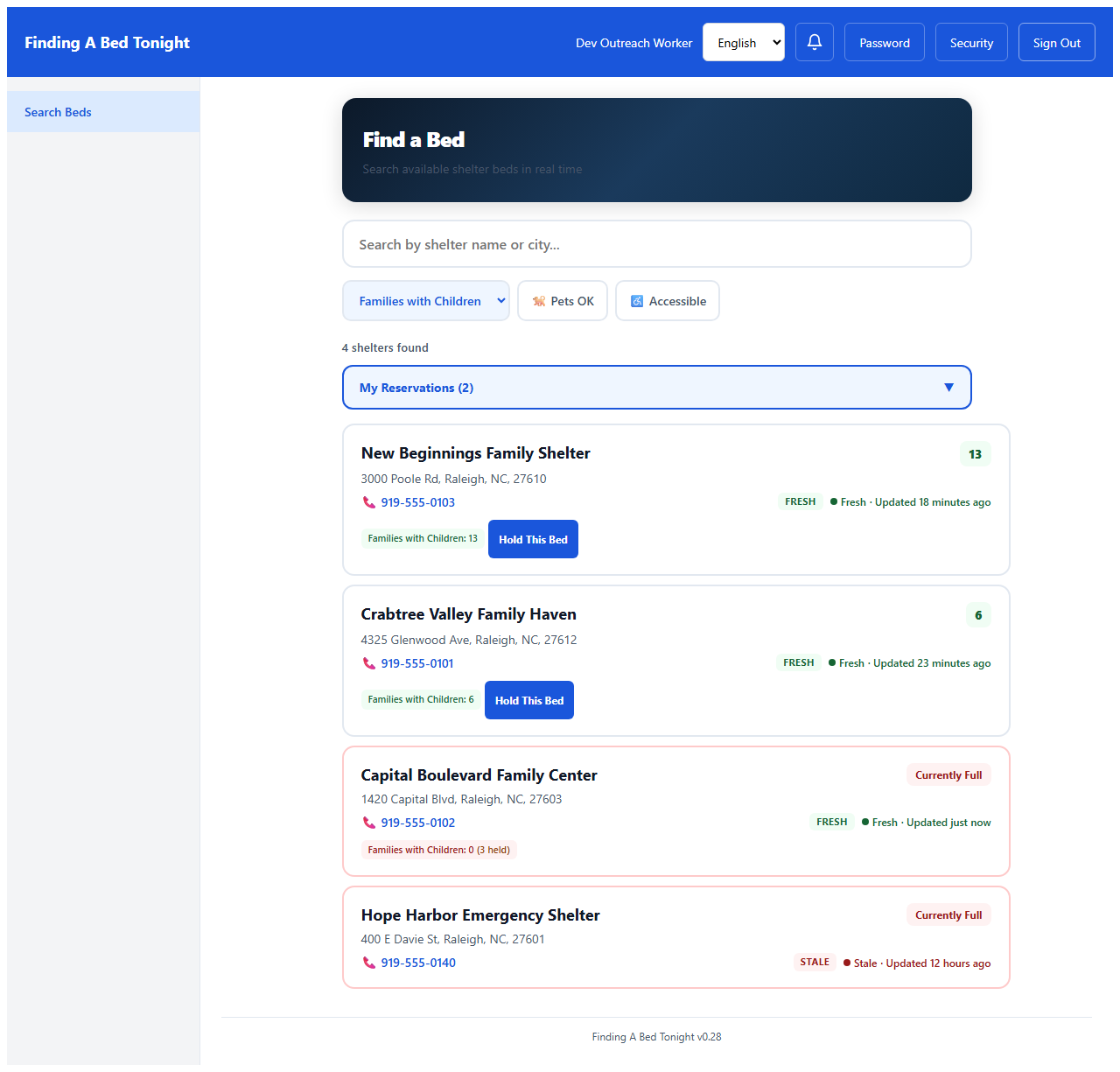
It's 11:14 PM. Darius has a family of five and 30 minutes. He filters by population type — the app shows only shelters that can serve this family right now.
2
Search Results
Outreach Worker
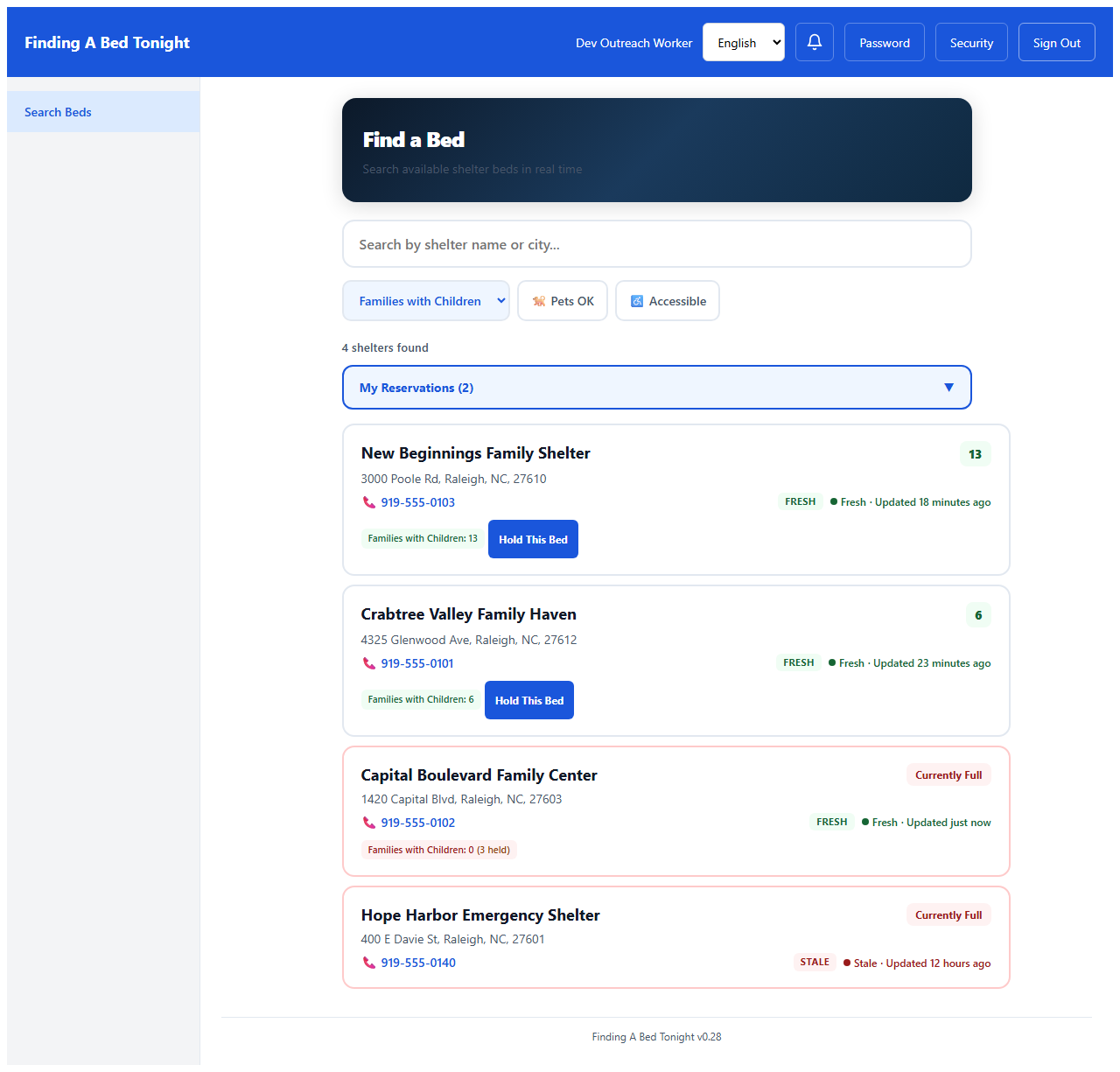
Three shelters have beds. Green badges mean the data was updated in the last hour — no more calling a shelter only to find out they filled up two hours ago.
3
Shelter Detail
Outreach Worker
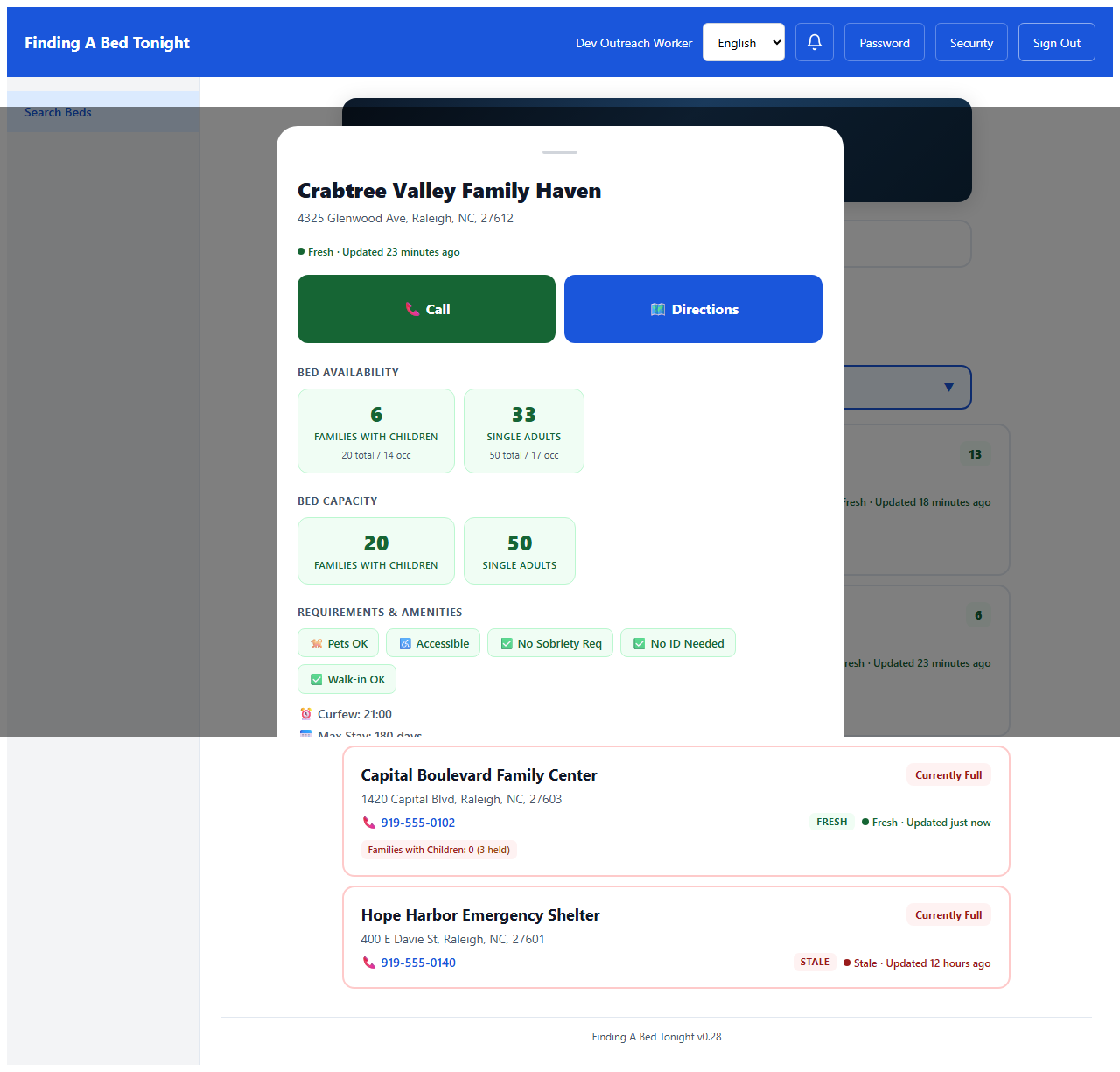
Darius taps a shelter to see the details — pets allowed, wheelchair accessible, updated 12 minutes ago. This one works.
4
Reservation Hold
Outreach Worker
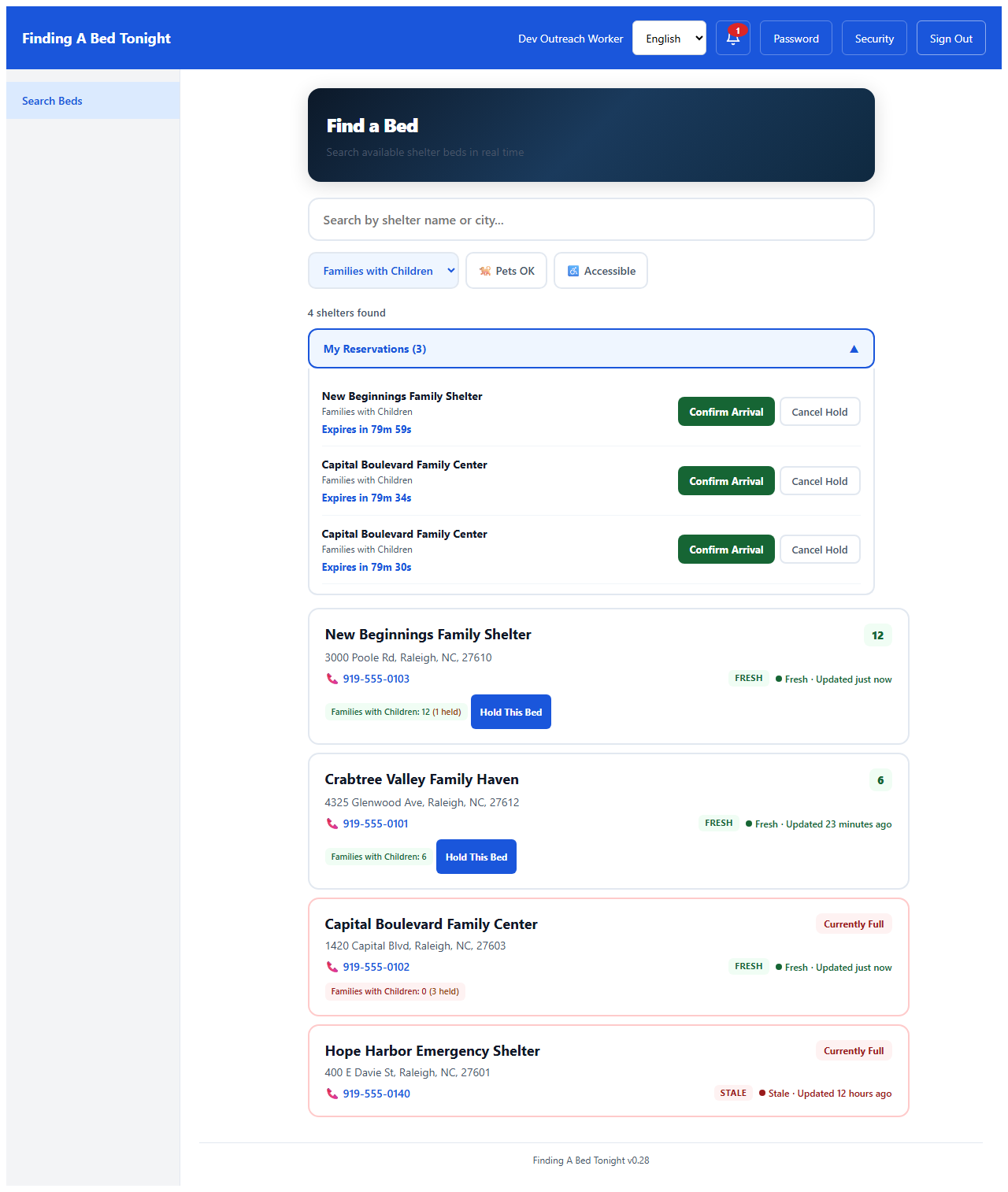
One tap holds the bed for 90 minutes — enough time to drive the family across town safely. No one else can claim it while Darius is in transit.
Signal Lost: What Happens When the Network Drops
5
Offline — Honest Banner
All Roles
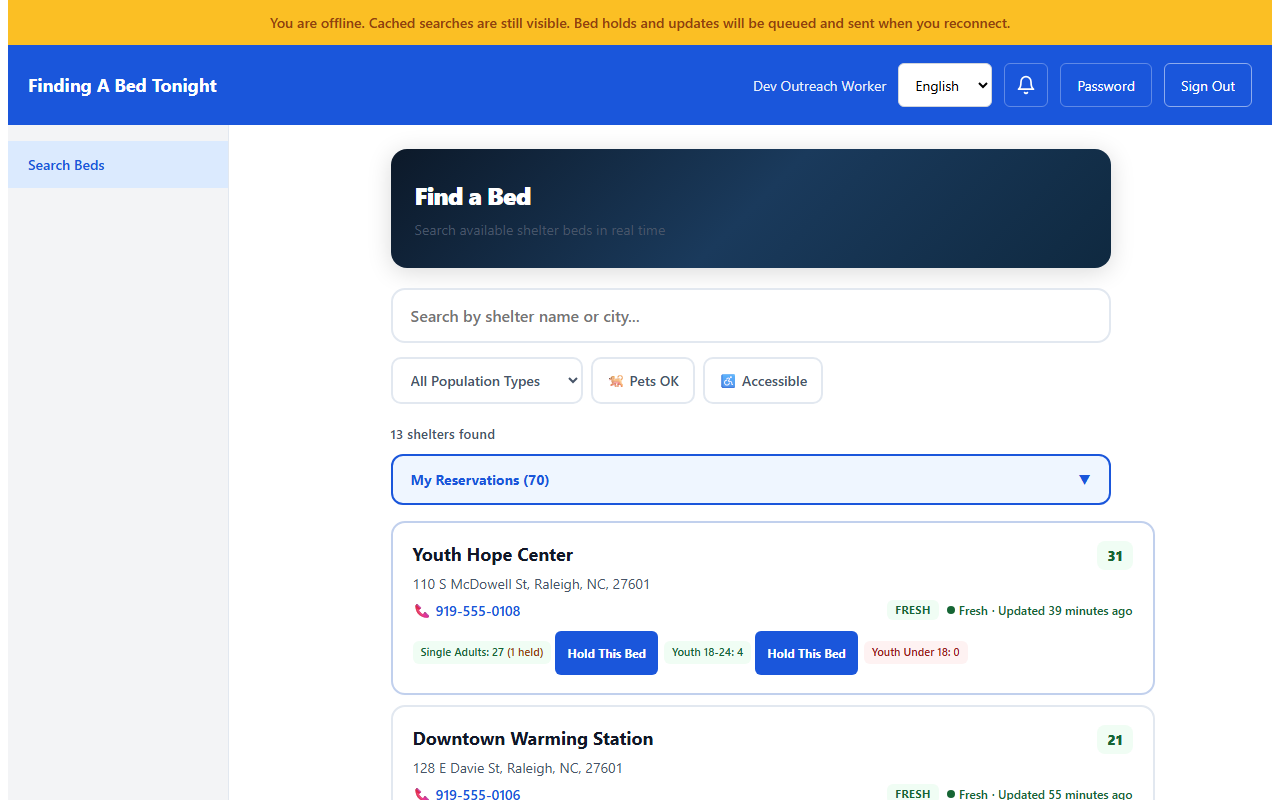
Darius is between clients now — driving to meet a second family his supervisor radioed about. He hits a dead zone. The yellow banner is honest: your searches are still here, and anything you do next will be saved and sent when signal comes back.
6
Holding a Bed Without Signal
Outreach Worker
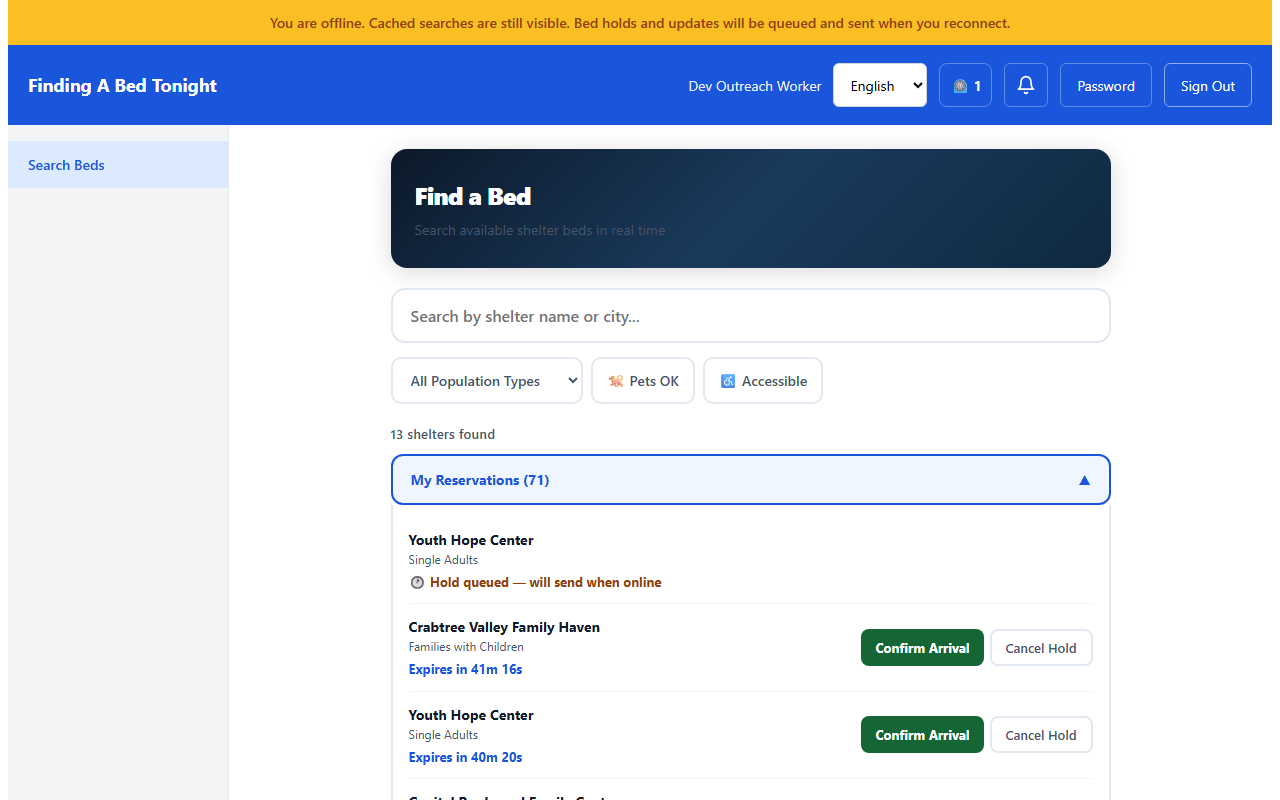
He finds a bed that works and taps hold — no signal, doesn't matter. The app tells him it's queued and shows it alongside his active holds. When he gets signal back, it will send. He keeps driving.
7
Signal Returns
Outreach Worker
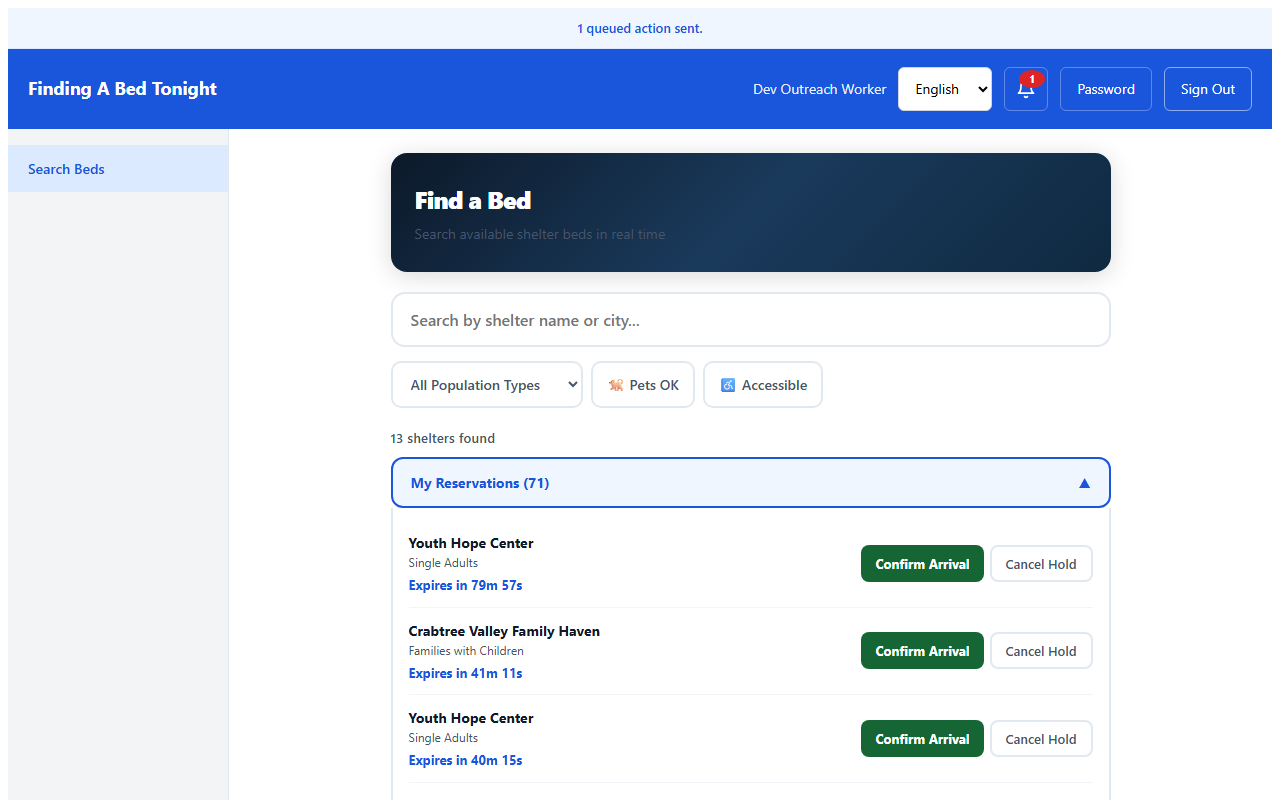
Two miles later, signal comes back. The hold sends automatically — 79 minutes on the clock. If someone else had taken that bed while he was offline, the app would tell him that too. No silent failures. No guessing.
Sandra's Side: Keeping the Data Fresh
8
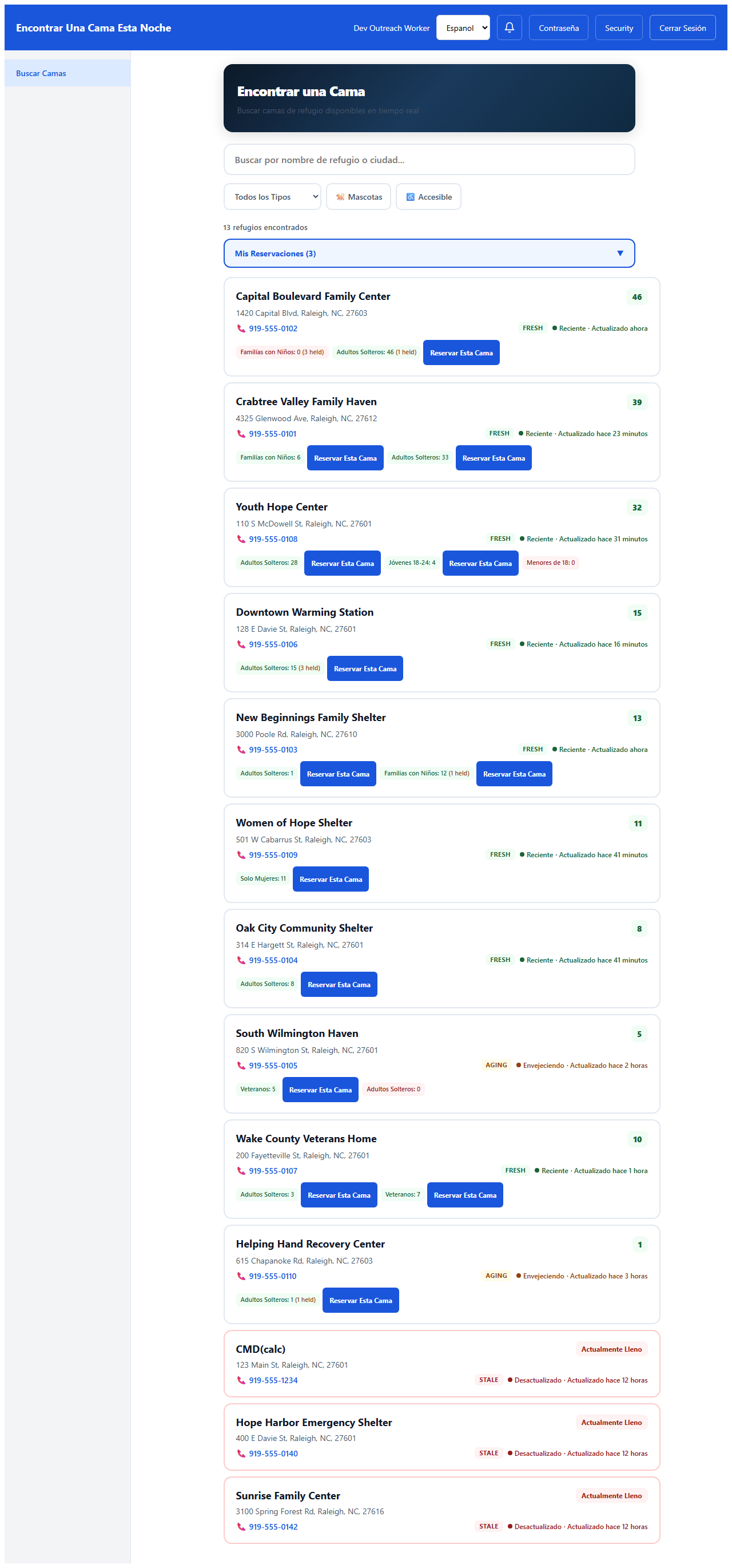
Coordinator Dashboard
Coordinator
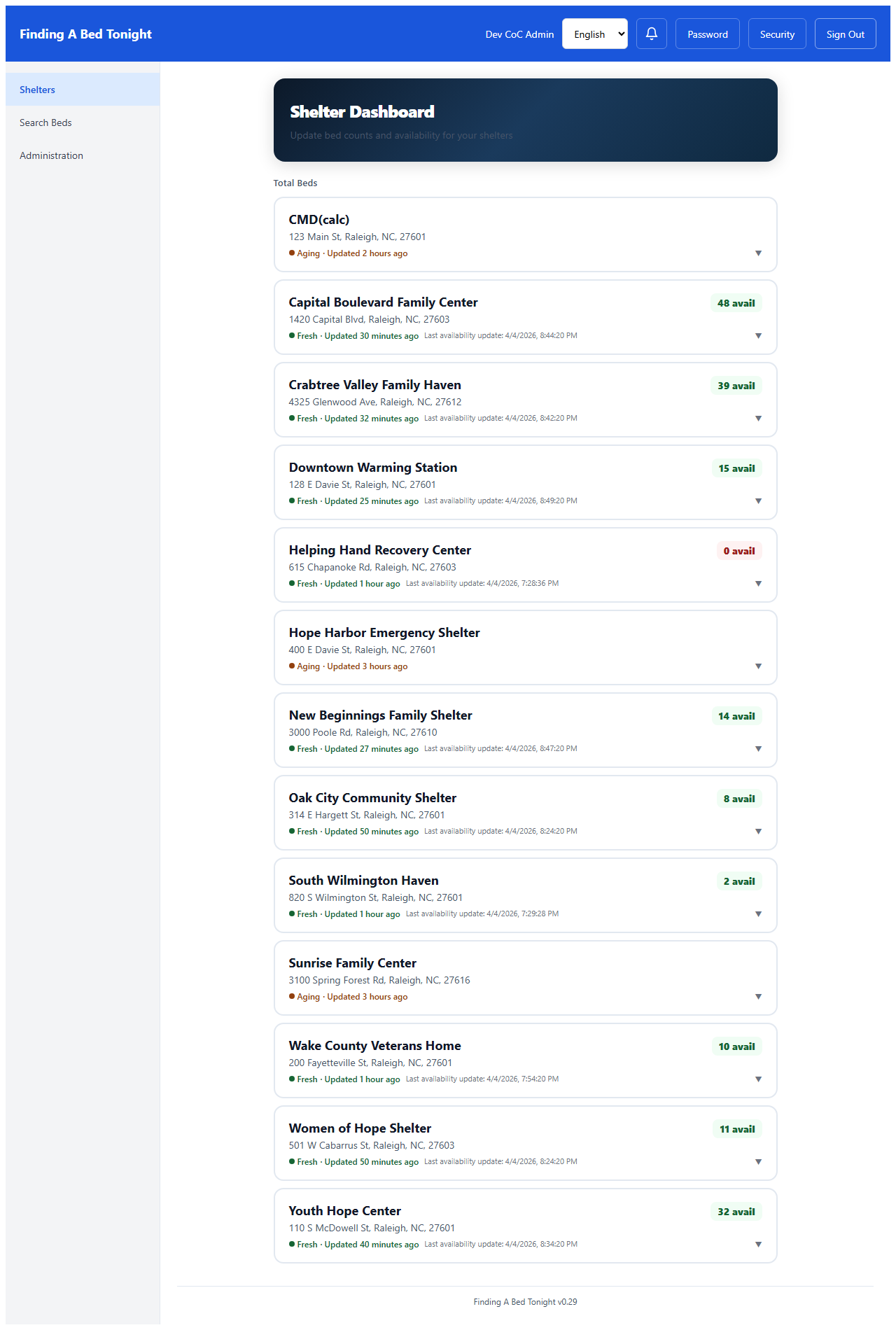
Meanwhile, Sandra checks her dashboard between intake tasks. She can see every shelter's occupancy and how fresh the data is — one glance tells her where the gaps are.
9
Bed Count Update
Coordinator
Sandra updates her shelter's bed count in three taps — total, occupied, done. The system calculates available beds automatically. Every update refreshes the data for outreach workers like Darius in real time.
10
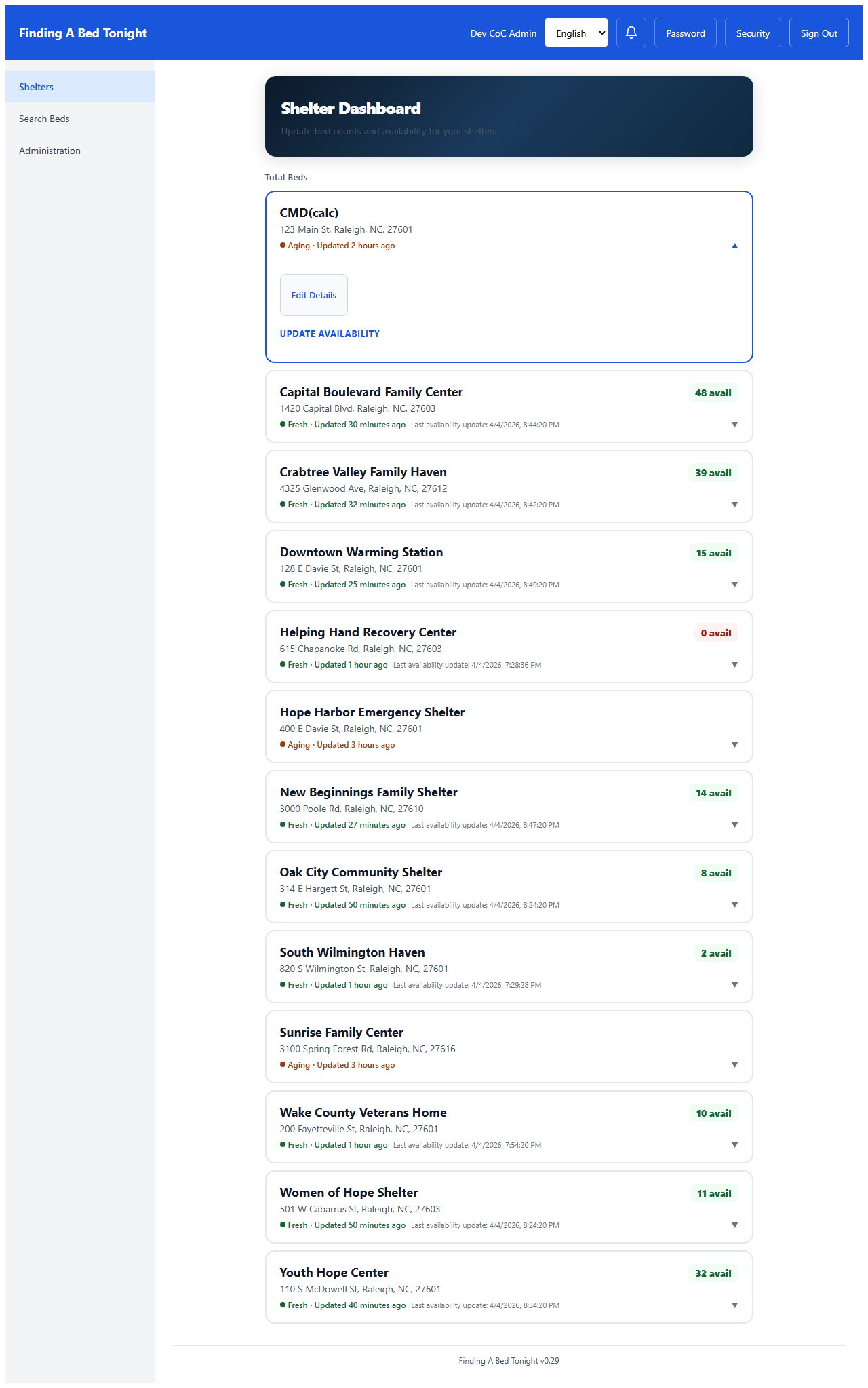
Spanish Language
All Roles
Darius works with Spanish-speaking families too. One tap switches the entire interface — labels, errors, badges, everything — to Spanish. No page reload, no second app.
Behind the Scenes: Administration
11
User Management
CoC Admin
Back at the office, the CoC administrator manages who has access. Each role sees only what they need — DV shelter access is a separate, deliberate toggle, and if someone's credentials are compromised, the admin resets their password in one click.

12
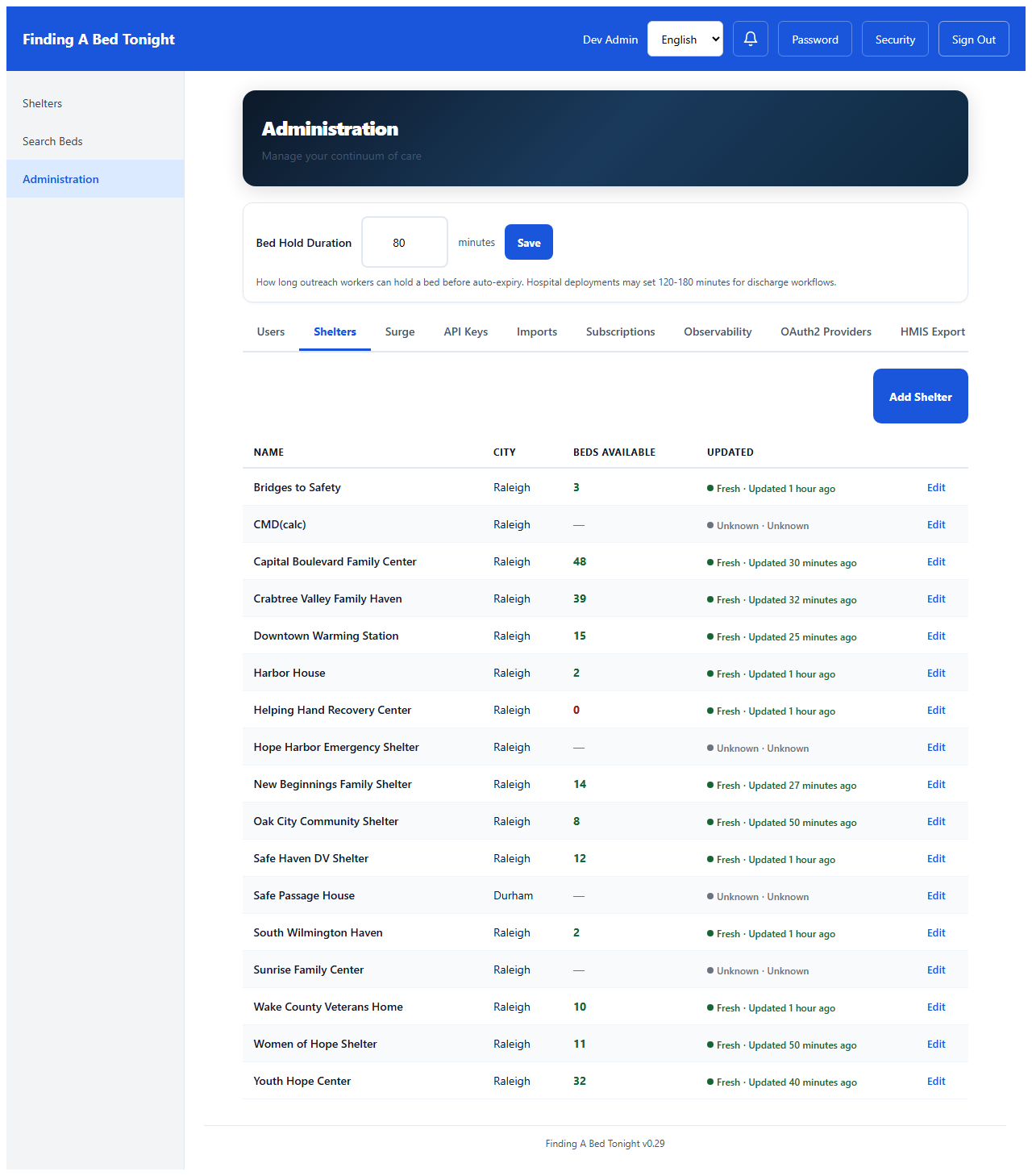
Shelter Management
CoC Admin
Every shelter in the community is here — address, capacity, constraints, edit history. New shelters can be added one at a time or bulk-imported from an HSDS 3.0 or 211 CSV file. Each shelter is editable — phone numbers, hours, DV status — with role-based permissions that protect sensitive fields.
13
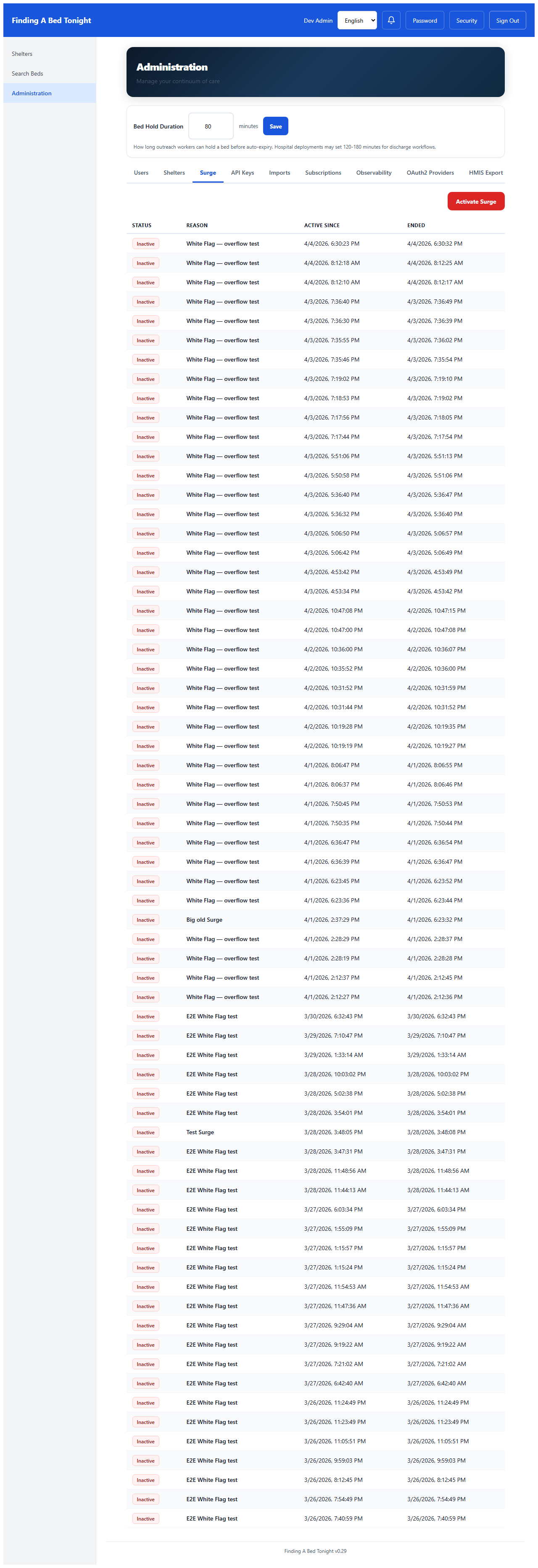
Surge Mode
CoC Admin
Temperature drops below freezing tonight. The administrator activates surge mode — overflow beds become visible to every outreach worker immediately.
14
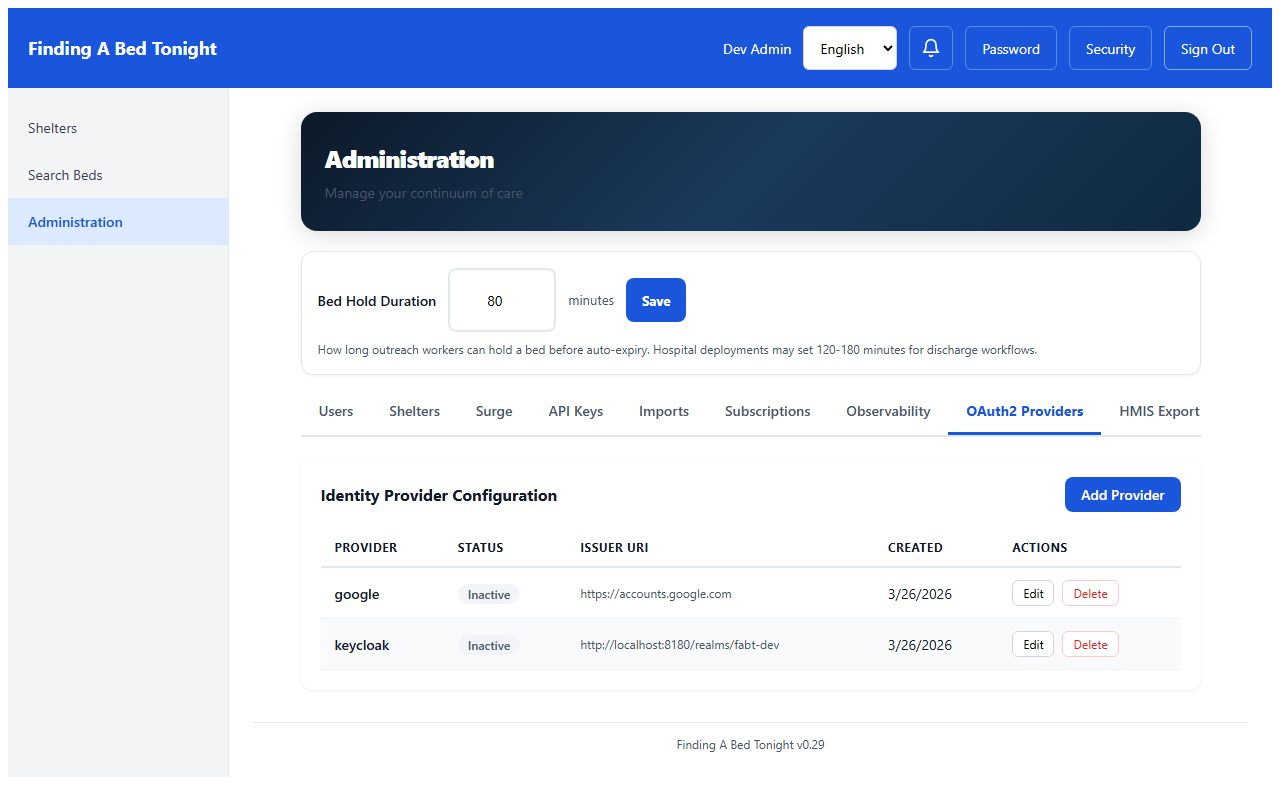
OAuth2 Providers
CoC Admin
The CoC already uses Microsoft 365. The admin adds their SSO provider — staff sign in with existing credentials. No new passwords to manage.
Trust: Keeping Accounts Safe
15
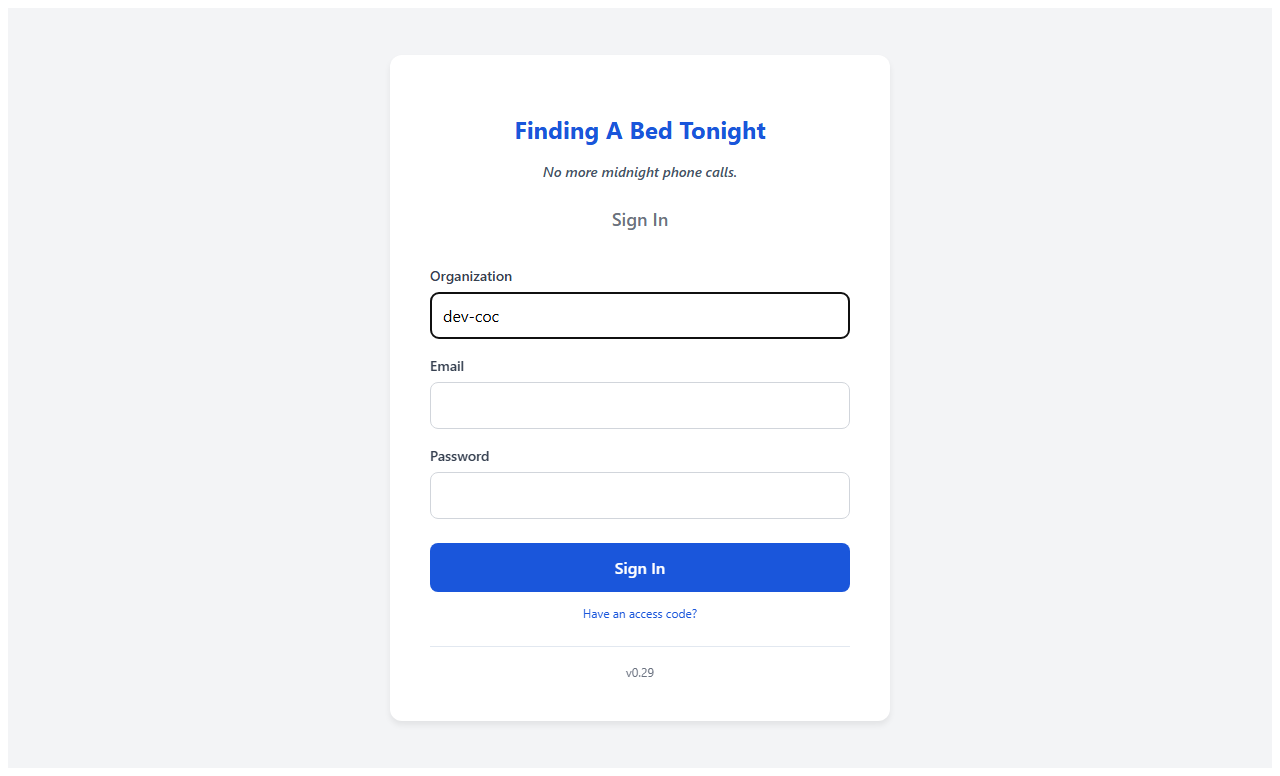
Secure Login
All Roles
Tenant-scoped authentication — each CoC has its own login with email, password, and optional SSO. Darius's credentials are issued by his CoC administrator. Every session is JWT-based with automatic token refresh.
16
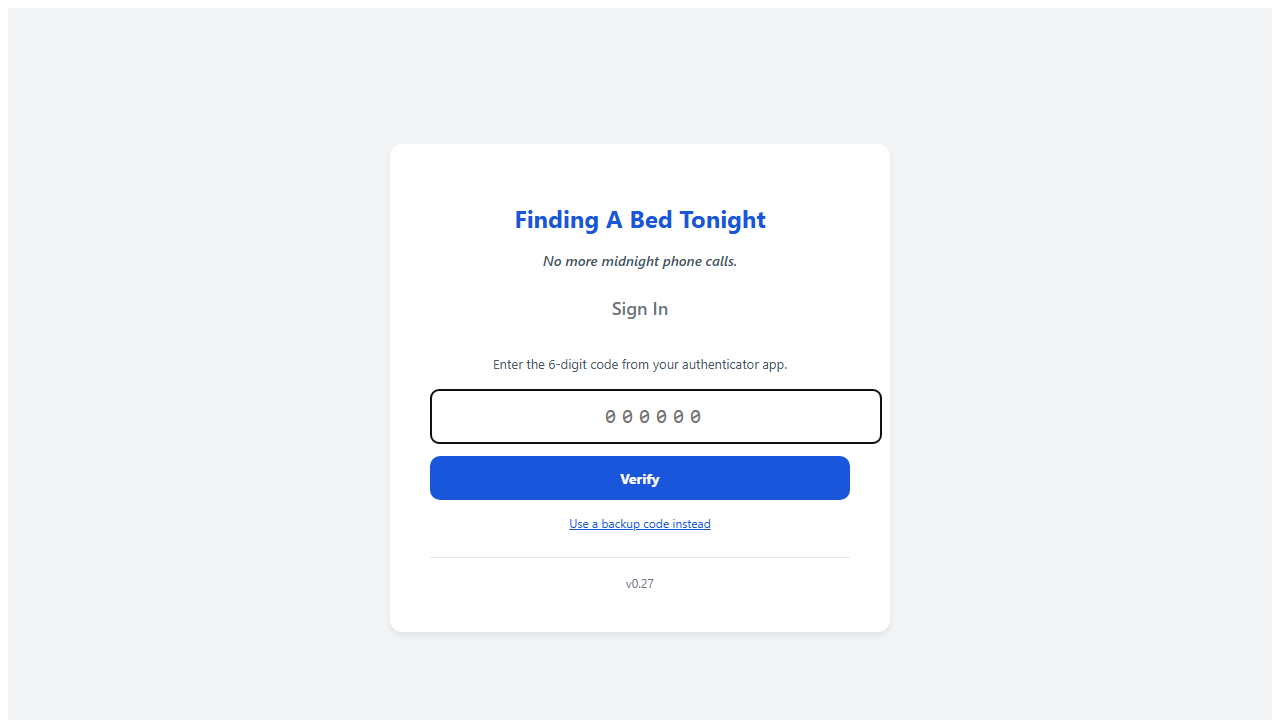
Two-Factor Authentication
All Roles
When the CoC requires it, users enroll in TOTP two-factor authentication — Google Authenticator, Authy, or any standard authenticator app. After entering their password, they verify with a 6-digit code. Lost device? Backup codes or an admin-generated access code gets them back in.
17
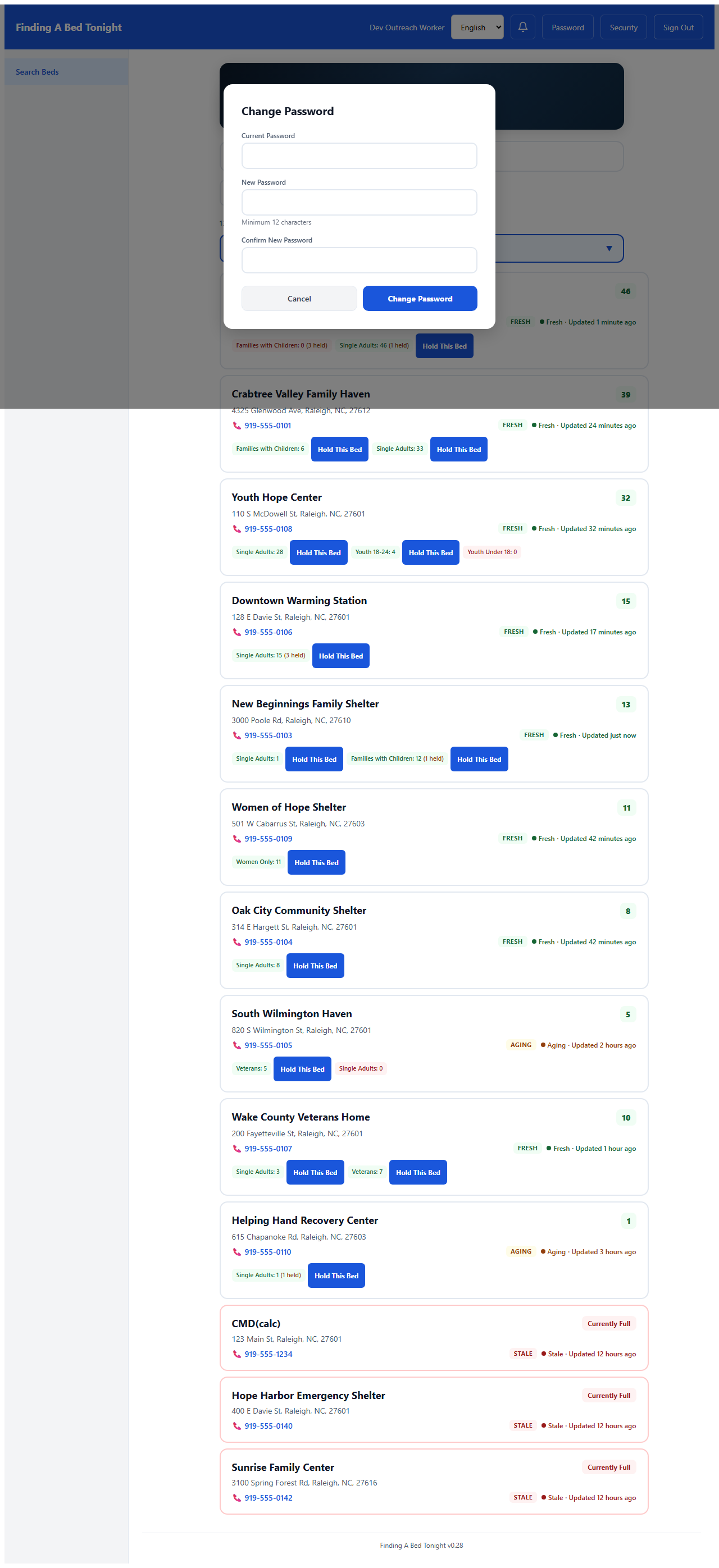
Change Password
All Roles
Darius can change his own password from any screen — one tap on "Password" in the header opens the modal. If his phone is lost, the CoC admin resets it from the Users tab. All existing sessions are invalidated immediately.
18
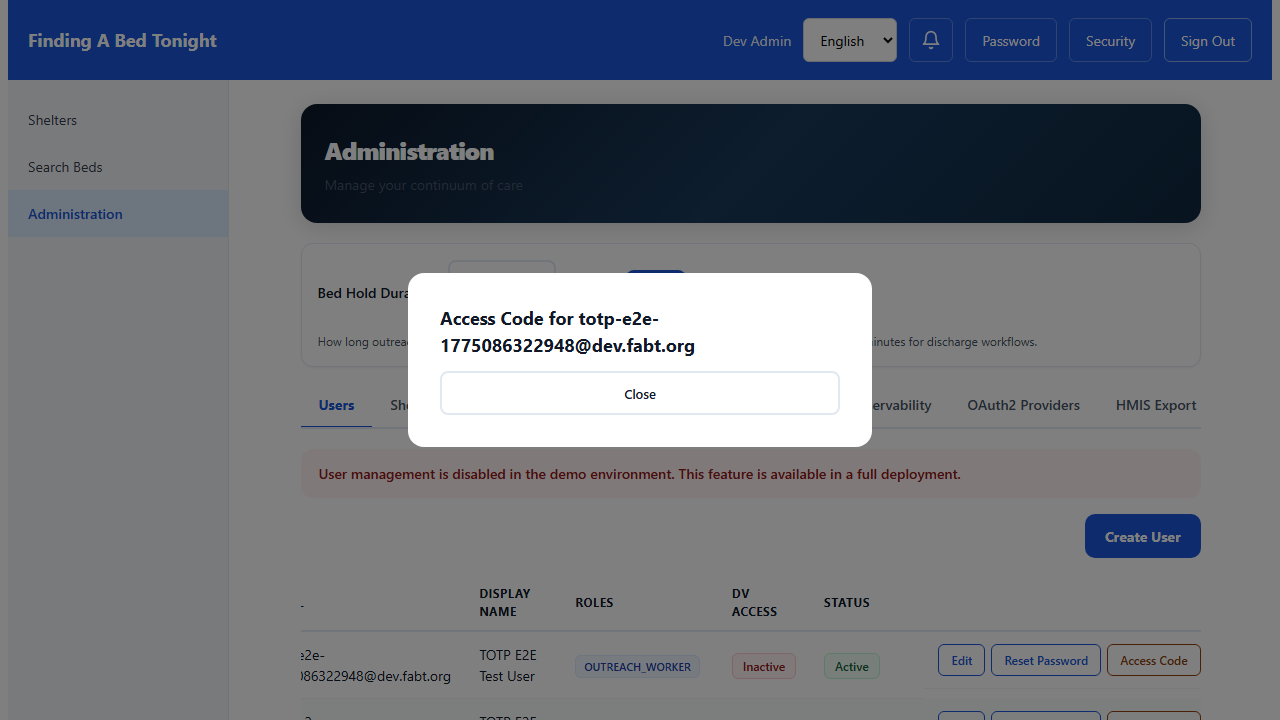
Admin Access Code
CoC Admin
Locked out? Lost your authenticator? The CoC administrator generates a one-time access code — 15 minutes to use it, single-use, and the user must change their password immediately after. No one waits until Monday for IT support.
Operations (Optional)
19
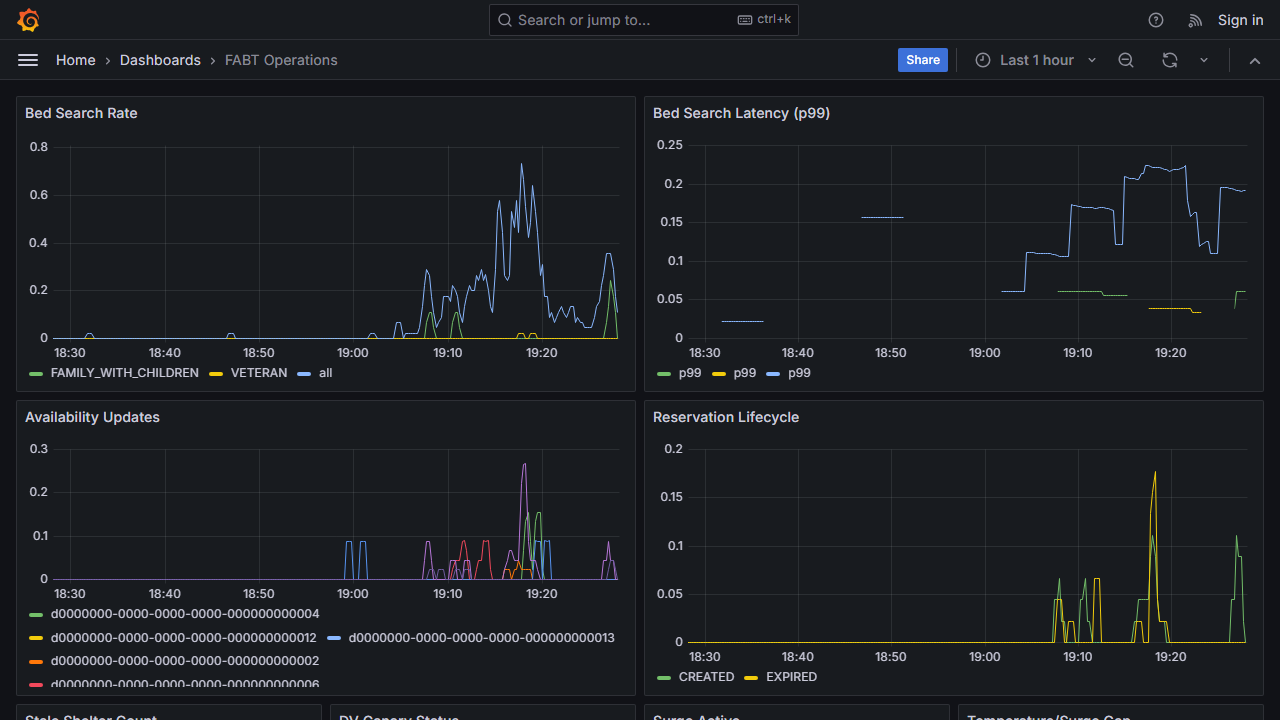
Grafana Dashboard
Operations
For teams that want operational visibility — search volume, response times, stale shelters, DV safety canaries — all in one Grafana dashboard, deployed alongside the app.
20
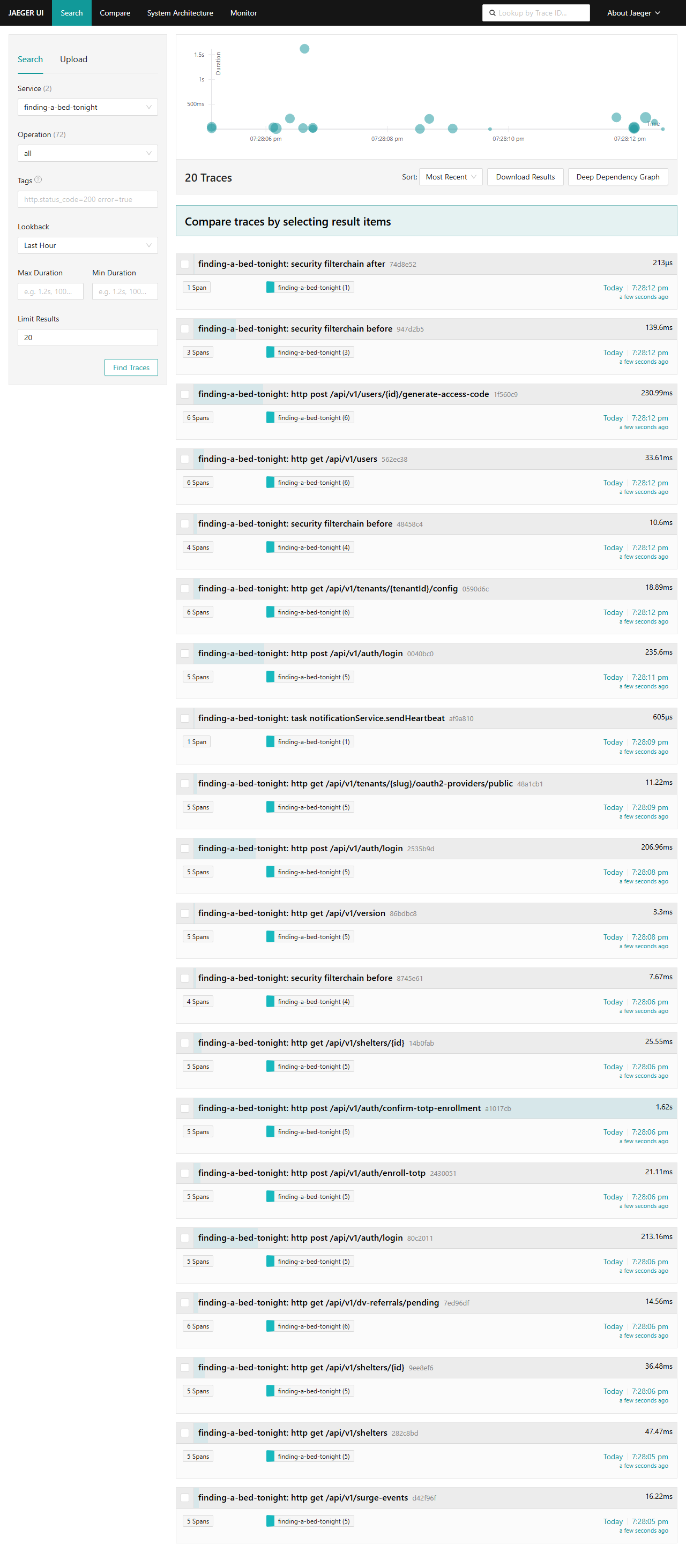
Distributed Tracing
Operations
When something is slow, distributed tracing shows exactly where the time went — from API request to database query. Enabled at runtime, no redeployment needed.
Trust & Compliance
Accessibility
Designed to meet WCAG 2.1 AA. Self-assessed ACR covering all 50 criteria. Automated axe-core CI gate. Dark mode follows OS setting — verified accessible in both modes.
DV Privacy
Zero client PII. Shelter addresses never displayed. Referral tokens hard-deleted within 24 hours. Designed to support VAWA/FVPSA requirements.
License
Apache 2.0 — free forever. Every deployment survives independently. No vendor lock-in, no per-seat fees.
Deployment
Three tiers: Lite ($15-30/mo), Standard ($30-75/mo), Full ($100+/mo). Self-hosted — your data stays on your infrastructure.
For Funders
Theory of change, sustainability model, what funding enables
For City Officials
Data ownership, WCAG, security posture, procurement
For Developers
Architecture, API reference, running tests, contributing
More Walkthroughs